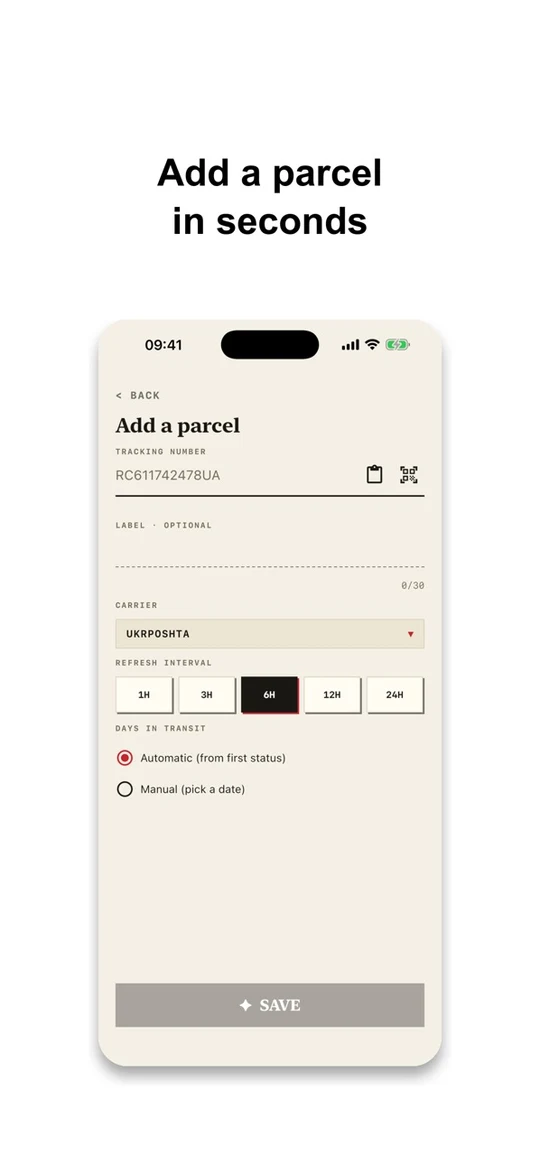
Add a parcel
Paste a tracking number or scan its barcode. Name the parcel to find it more easily.
 PackTrack
PARCEL TRACKING · iOS & ANDROID
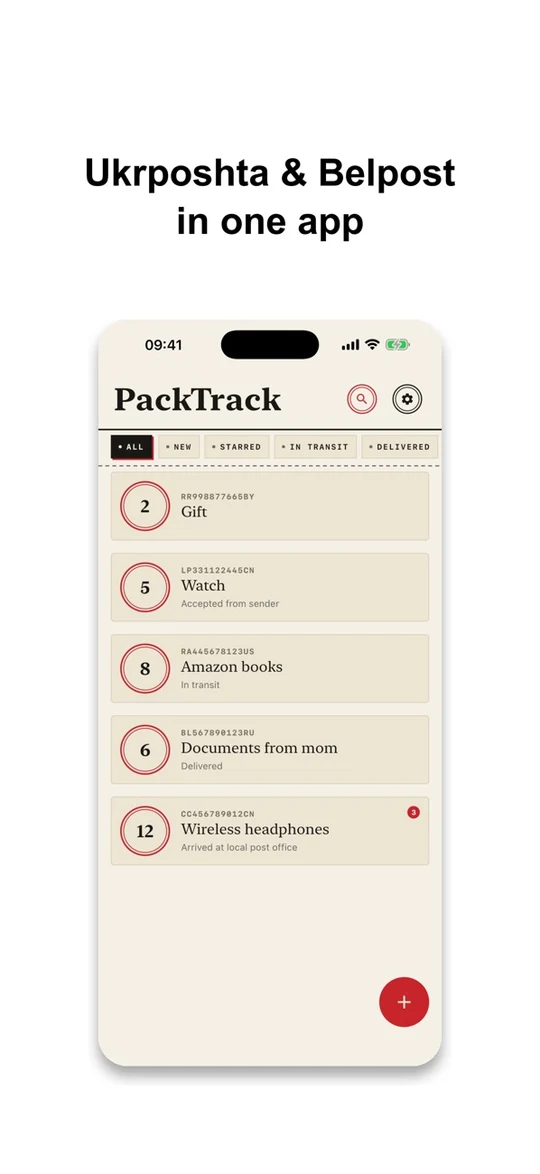
Track parcels from YunExpress, Ukrposhta, Belpost and Expovi. PackTrack checks their statuses and notifies you of updates.


No PackTrack account required
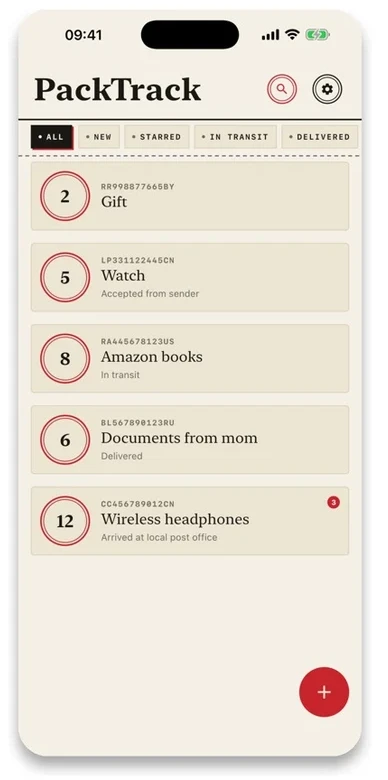
Keep parcels from these carriers together in PackTrack.
Choose the carrier when adding a tracking number.
FEATURES
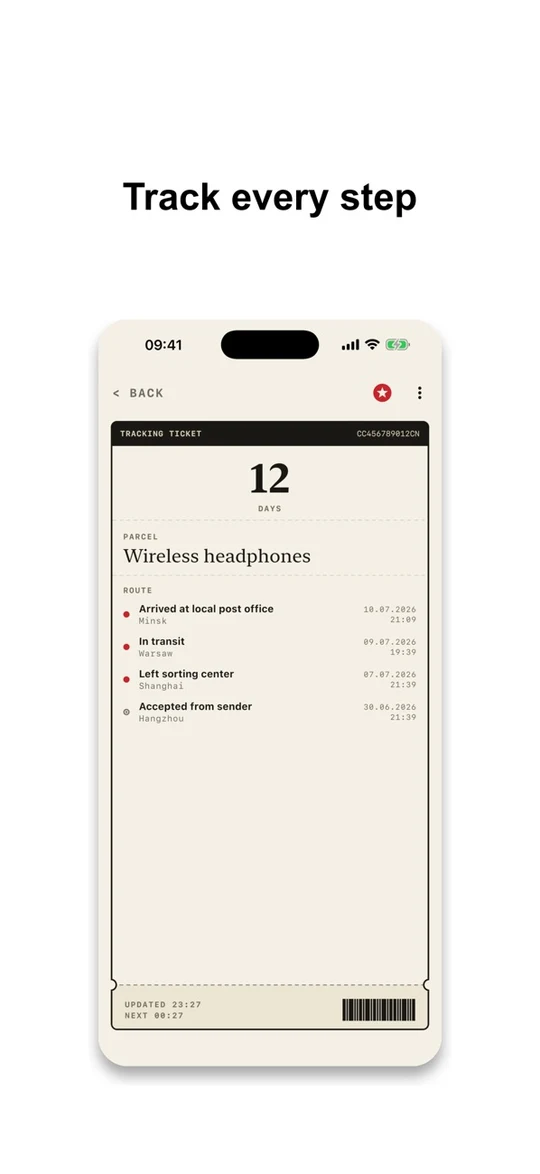
Add a tracking number to follow status updates and keep a record of its journey.
Paste a tracking number or scan its barcode. Name the parcel to find it more easily.
PackTrack checks statuses automatically and can notify you when it detects a change.
See the status history and how many days a parcel has been in transit.
Find parcels with search, favorites and filters for new, active and delivered shipments.
Check a parcel’s status from the home-screen widget. Open the barcode of its tracking number to show it at the counter.
Choose from three interface styles: Classic, Modern and Postal.
INTERFACE
PackTrack on iOS, shown in English.
No. Parcel tracking is available in the PackTrack mobile app. Download it from the App Store or Google Play.
YunExpress, Ukrposhta, Belpost and Express Post Victory (Expovi).
No. You can add parcels and check their statuses without a PackTrack account.
Yes. PackTrack needs an internet connection to fetch new statuses from carrier services.
Updates depend on the information provided by the carrier and the availability of its service. Check the tracking number, selected carrier and internet connection.
Allow notifications for PackTrack in your phone settings. Background checks depend on system settings and restrictions. Set quiet hours in the app for times when you do not want notifications.
The Android app includes banner ads.
SUPPORT
Contact the developer with app questions or bug reports. For delivery questions, contact your carrier.
Email supportcontact@ex4.dev
Say whether you use iOS or Android, include the app version and describe the issue. Do not send tracking numbers or recipients’ personal details.
Your tracking numbers and parcel history are stored on your device. PackTrack contacts carrier services to check statuses. Third-party services may also process data.
Read the privacy policyIn English